Google Classroom Headers (and Bitmojis)


I recently taught a class on how to use Bitmojis in the classroom to increase student engagement and help with classroom organization and management.

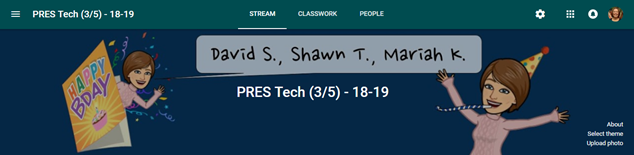
One fun idea was to use them to make custom Google Classroom headers. The idea came from Alice Keeler's blog and she even provided a template for her header.
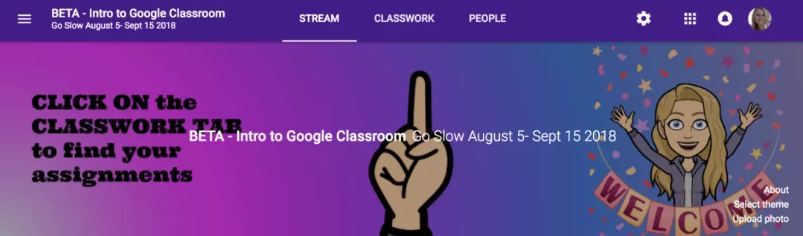

My computer settings weren't the same as hers so I had to tweak my version.
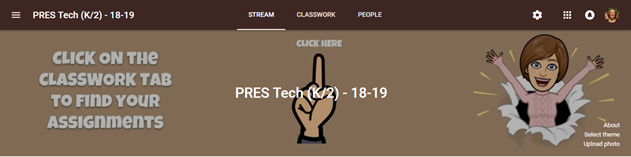
Template Link - http://bit.ly/2RqtFFs

This got me thinking about how the headers could be changed out frequently, as something new for students to look forward to, when they opened up Google Classroom. In my head I was thinking they could be changed out weekly (38 total headers needed) if time permitted. 

Happy New Year
Template Link

Birthday Headers
Template Link


Valentines Day
Template Link

I have several other ideas, templates, and instructions linked in this presentation.


I would love to see other custom Google Classroom Header ideas! Please feel free to post a comment or tag me on Twitter at @techcoachlife.


Comments

Deepali said…
cool idea!
Laura said…
Is there any way to make these headers brighter. I find that they are pretty dark and don't look as good once you upload.

Popular posts from this blog

Secret Messages - How To (Light and Color)

This was fun activity that I got from Roper Mountain Science Institute. They suggested red theater gel to reveal the message, which can get pricy. Another idea I heard was to ask movie theaters to donate left over 3D glasses, which also have a red filter. A guest speaker we had last year said red jello would work. Tried it this week and it worked like a charm. The students thought it was very cool. I found my "attention challenged" students had trouble focusing on making their own secret messages so I was very glad that I had made extra copies of the sheets from the GEMS Color Analyzer book that they could color and then check under the jello.

Picture of the Day - Activity

I attended a training class and a science coach shared an activity that he does with his students to help them differentiate between observations, inferences, and predictions. He puts a picture on the interactive white board as a warm up (he gets the pictures from a variety of sources but uses National Geographic's Picture of the Day a lot). The picture above is from the National Geographic site. He has the students make five observations. Then he makes the students make five inferences. Finally he has the students make five predictions. He does this every day and it really drives home the difference between those three key inquiry vocabulary terms. I've done this activity with both my sixth and fourth grade science classes and the students really got into it and became proficient at telling me the difference between those terms.

QR Project - Open House

Twitter Post Link -  https://bit.ly/3Umic7r I saw this adorable QR code project on Twitter and decided to try it out with a couple of third grade classes. We have several schools in our district who are "Leader in Me" schools and I asked a teacher if I could come in and make them for her open house (you don't need to be a "Leader in Me" school but I know they do a lot of goal setting and mission statements). She loved the idea! I decided to use Flip (formally Flipgrid) to do the recording. The web based program is free for educators and automatically generates the needed QR code. We started on a Thursday. I pulled students into the hall to get a picture of them holding a square piece of paper prior to an ELA block. The paper acted as a place holder for the QR code (which is square) and ensured I got the correct hand spacing so the students looked like they were holding the QR code. I found a spot that didn't have anything in the background. The background...