
Before I get to the #1 ISTE Idea I was looking at my notes and ran across a few random ideas I got from the Poster Sessions (which is basically a walk around showcase environment where you can see a lot of projects in a short amount of time). None of them were giant IDEAS more like small ideas and thoughts about other people's projects that I wanted to look into and see how it could work in our schools (modifying as necessary).
OUT MY WINDOW PROJECT

One poster session hosted by Connecting Creativity had an "Out My Window" project that I really liked. Essentially students took a picture out their window...put it in some design app...they used PicMonkey...and wrote a poem based on the five themes of geography (they had to explain what those were to me...having never taught geography). I'm not sure I could sell that exact project to the teachers I work with but I definitely felt like it had modification potential. Several of our schools are allowing students to take home their iPads at the end of the day and teachers are going to need homework ideas. I thought I could modify the "Out My Window" project as a potential monthly homework assignment.
STUDENT BOOK REVIEW BLOG PROJECT

In another poster session I saw a student book review blog being showcased. The middle school students wrote book reviews using a google form that got sent and published on a WordPress blog. I liked that they had the process thoroughly explained on their blog so a teacher could walk through the steps. Here were my thoughts that I wrote down...there is no way to publish a picture of the book (I would need to look into that because I think pictures are powerful and a book cover is more likely to generate interest in the review then just the text itself). If a teacher didn't want to blog her students reviews they could set the form to go straight to them (the teacher) - which is basically taking a book report and digitizing it (but I liked that it used less paper then a traditional book report and you can customize the questions in the book report form to get some high order answers). I asked about plagiarizing. Honestly we have a ton of students who would go to Good Reads or Amazon and copy and paste reviews. One of the presenters said...and I hadn't thought of this...if you suspect plagiarism you can copy and paste the review in a google search and see what comes up - once students know that can happen they might be less likely to copy and paste. Then I asked about quality...you certainly don't want a cruddy book review posted! The presenter suggested that all submissions go to the blog moderator before allowing for publication as a means of controlling quality and he also suggested...which I liked...that students have to "earn a blogging badge" before they are allowed to post to the blog. They would earn their badge but submitting samples of quality work.
LEGO MOVIE PROJECT
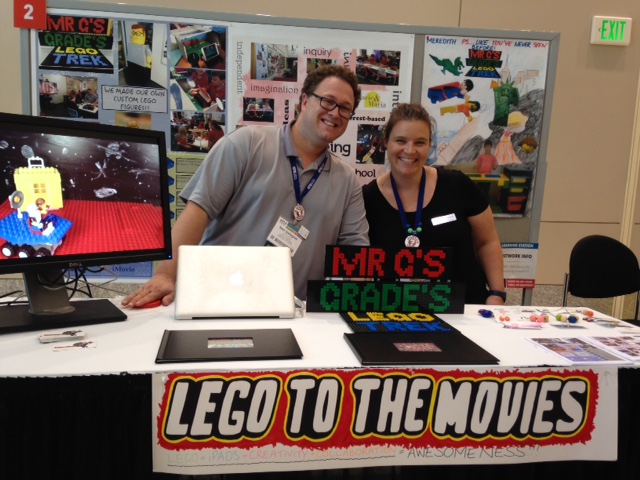
Legos...I'm not a huge fan of them but they are quite popular in our schools from Lego Labs to Lego Robotics. So when I ran across this poster session I had to stop. These two presenters were from Australia and Mr. Gallagher was showcasing an extensive 16 week stop motion lego movie with his students (get this...ages 6 and 7!). He had picture books documenting the process on the table and he put together an iBook Case Study of the project that can be download for free. This was what impressed me (other then working with legos, stop motion animation, with students in K/1 grades ;)...at the end of the project the 25 minute movie was screened at a local theater that was booked out for the event (what a cool idea!). He put out a challenge school wide for classes to do a short lego stop motion movie and his kids voted on which one was the best and that became a "short" which was screened before their big movie. I downloaded the book...and forwarded the link to our Lego lovers and am thinking of ways to rent out a theater to showcase a massive student project.
Comments