Exciting Technology Upgrade #1 - Google Classroom

This week Google Classroom announced that they have added a way to assign work to individuals, or groups of students, within Classroom. This is a HUGE deal, as it has been an issue of complaint not only in our district but also in the Classroom community forms. They have a couple of other upgrades as well (but this is the one that made the teachers I work with jump for joy!). You can read about the updates HERE.
What we would love Google Classroom to add is an inking feature for our touch screen tablet users (that would be users in grades 6-12 this year and 3-5 next year).
Right now our 3-5 users have iPads and Google Classroom allows students to open assignments and use the inking tool to write on documents with their finger (very handy!). However this isn't a feature available on our touch screen tablets.

The Classroom developers do allow for teacher feedback and I definitely submitted the suggestion (and asked a bunch of teacher friends to submit it as well). Hopefully, with enough requests, the developers might look into it.

Exciting Technology Upgrade #2 - ReadWorks Digital
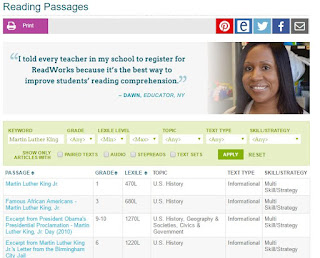
For those of you unfamiliar with ReadWorks, it is a FREE site that offers downloadable leveled reading passage and questions sets for use in the classroom. I use it all the time with students. Most teachers typically run off copies of the passage and question sets for students...which, as you can image, uses a lot of paper. I've got several of our teachers putting the material into Google Classroom which reduces the amount of paper but Read Works just announced the launch of ReadWorksDigital which makes assigning reading passages so much easier!!!
ReadWorksDigital allows teachers to make classrooms, students then join with a class code and you can assign work through the site...which also grades the question sets. Students can join with their Google account if you are a GAFE school. To find out more there is a short video explaining how it works HERE.
I haven't tried it with a class yet but I am hoping to this week. I will report back once I have given it a test run. I'm definitely excited though!

This week Google Classroom announced that they have added a way to assign work to individuals, or groups of students, within Classroom. This is a HUGE deal, as it has been an issue of complaint not only in our district but also in the Classroom community forms. They have a couple of other upgrades as well (but this is the one that made the teachers I work with jump for joy!). You can read about the updates HERE.
What we would love Google Classroom to add is an inking feature for our touch screen tablet users (that would be users in grades 6-12 this year and 3-5 next year).
Right now our 3-5 users have iPads and Google Classroom allows students to open assignments and use the inking tool to write on documents with their finger (very handy!). However this isn't a feature available on our touch screen tablets.

The Classroom developers do allow for teacher feedback and I definitely submitted the suggestion (and asked a bunch of teacher friends to submit it as well). Hopefully, with enough requests, the developers might look into it.

Exciting Technology Upgrade #2 - ReadWorks Digital

For those of you unfamiliar with ReadWorks, it is a FREE site that offers downloadable leveled reading passage and questions sets for use in the classroom. I use it all the time with students. Most teachers typically run off copies of the passage and question sets for students...which, as you can image, uses a lot of paper. I've got several of our teachers putting the material into Google Classroom which reduces the amount of paper but Read Works just announced the launch of ReadWorksDigital which makes assigning reading passages so much easier!!!
ReadWorksDigital allows teachers to make classrooms, students then join with a class code and you can assign work through the site...which also grades the question sets. Students can join with their Google account if you are a GAFE school. To find out more there is a short video explaining how it works HERE.
I haven't tried it with a class yet but I am hoping to this week. I will report back once I have given it a test run. I'm definitely excited though!
Comments