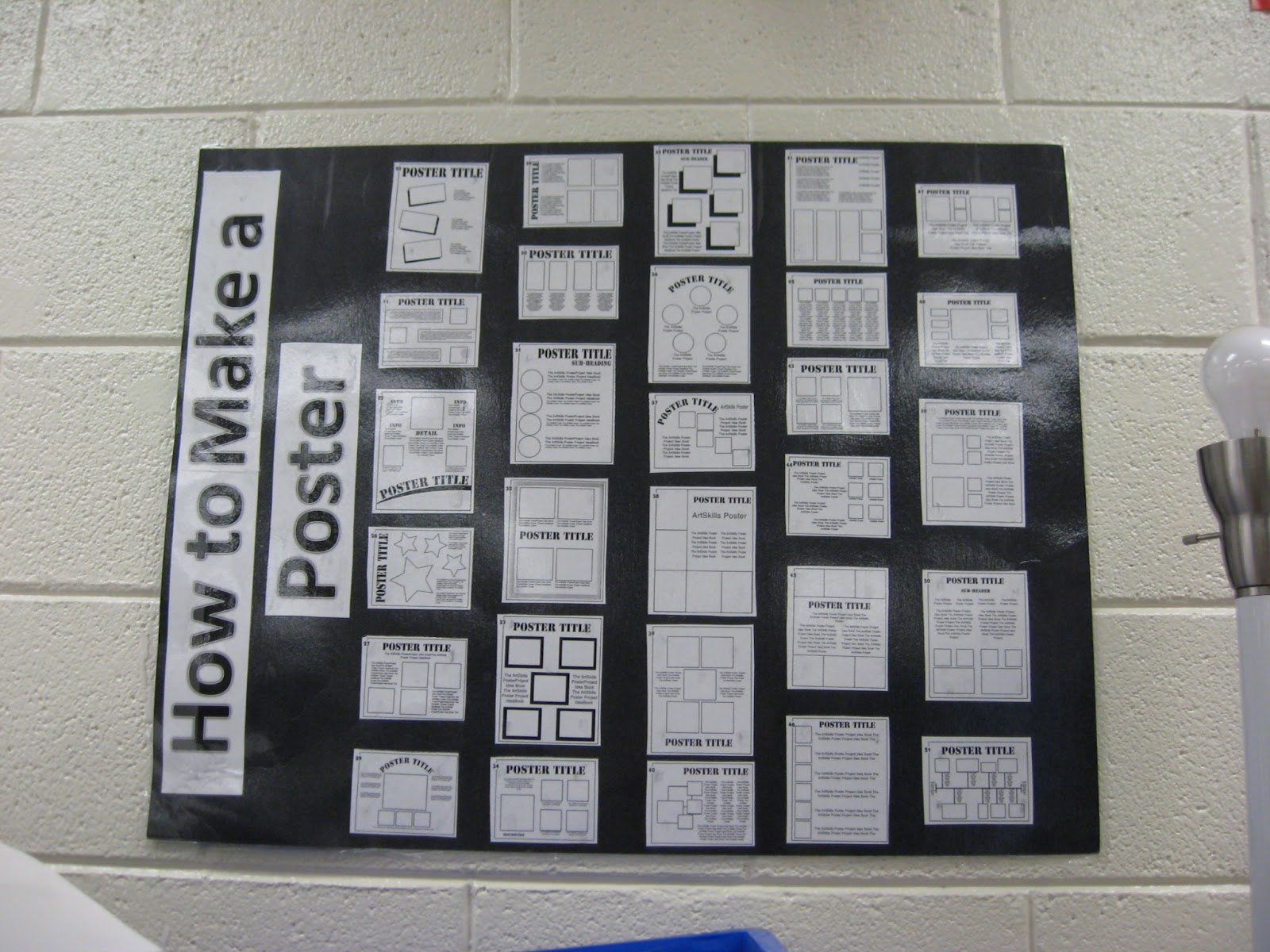
"How to Make a Poster" Poster


I made this poster a few year ago from book I got from my mother-in-law (who found it at a garage sale). Here is a link to the book on AMAZON and better yet (!) a link to the FREE PDF of the book.

UPDATE - Apparently the PDF site is down. Luckily I downloaded it before it went down and I have it uploaded HERE.

I copied some of the templates from the book and made a "How to Make a Poster" poster (the kids think that is the funniest thing!).

I left it up on the wall and earlier finishers were directed to the poster to pick a layout to make a poster for the classroom on whatever topic we were covering at the time. This could also be used as a guide for a right hand poster assignment.

It currently resides in a friends classroom and she is using it in a similar fashion.

Comments

Anonymous said…
Hello!

I'm a 5th grade teacher and I'm a big fan of your blog. It's really inspired me to start using interactive notebooks in my classroom. And I really like your "How to Make a Poster" poster idea. I was trying to get a copy of the book, but it's no longer being sold on amazon.com and the link to the pdf of the book doesn't work. Have you, by any chance, saved the pdf version? If so, would you mind emailing it to me? I'd really appreciate it.

Sincerely,
Aquita
Eve Heaton said…
Aquita -

Thanks for letting me know! I do have the PDF (thank goodness I have it saved). I will post it before the weekend.

Eve
Eve Heaton said…
I posted the link but here it is - https://sites.google.com/site/mrsheatonsfiles/how-to-make-a-poster---poster

Eve
Lisa's ESL Site said…
Hi Eve, thank you so much for this, I'm currently teaching 5th grade, and I love love love the book. Thank you for sharing it, I can't wait to use it!
Anonymous said…
Oh, thank you soooo much.
Heather said…
I was able to get the pdf to work :) I don't know why at high school my students make such awful posters! THis will help! THanks- and great blog
Ms. CJ said…
This is amazing! Sometimes I have students that have difficulty getting started with poster designs. I will definitely be using this resource. :-)

Popular posts from this blog

Secret Messages - How To (Light and Color)

This was fun activity that I got from Roper Mountain Science Institute. They suggested red theater gel to reveal the message, which can get pricy. Another idea I heard was to ask movie theaters to donate left over 3D glasses, which also have a red filter. A guest speaker we had last year said red jello would work. Tried it this week and it worked like a charm. The students thought it was very cool. I found my "attention challenged" students had trouble focusing on making their own secret messages so I was very glad that I had made extra copies of the sheets from the GEMS Color Analyzer book that they could color and then check under the jello.

Picture of the Day - Activity

I attended a training class and a science coach shared an activity that he does with his students to help them differentiate between observations, inferences, and predictions. He puts a picture on the interactive white board as a warm up (he gets the pictures from a variety of sources but uses National Geographic's Picture of the Day a lot). The picture above is from the National Geographic site. He has the students make five observations. Then he makes the students make five inferences. Finally he has the students make five predictions. He does this every day and it really drives home the difference between those three key inquiry vocabulary terms. I've done this activity with both my sixth and fourth grade science classes and the students really got into it and became proficient at telling me the difference between those terms.

QR Project - Open House

Twitter Post Link -  https://bit.ly/3Umic7r I saw this adorable QR code project on Twitter and decided to try it out with a couple of third grade classes. We have several schools in our district who are "Leader in Me" schools and I asked a teacher if I could come in and make them for her open house (you don't need to be a "Leader in Me" school but I know they do a lot of goal setting and mission statements). She loved the idea! I decided to use Flip (formally Flipgrid) to do the recording. The web based program is free for educators and automatically generates the needed QR code. We started on a Thursday. I pulled students into the hall to get a picture of them holding a square piece of paper prior to an ELA block. The paper acted as a place holder for the QR code (which is square) and ensured I got the correct hand spacing so the students looked like they were holding the QR code. I found a spot that didn't have anything in the background. The background...